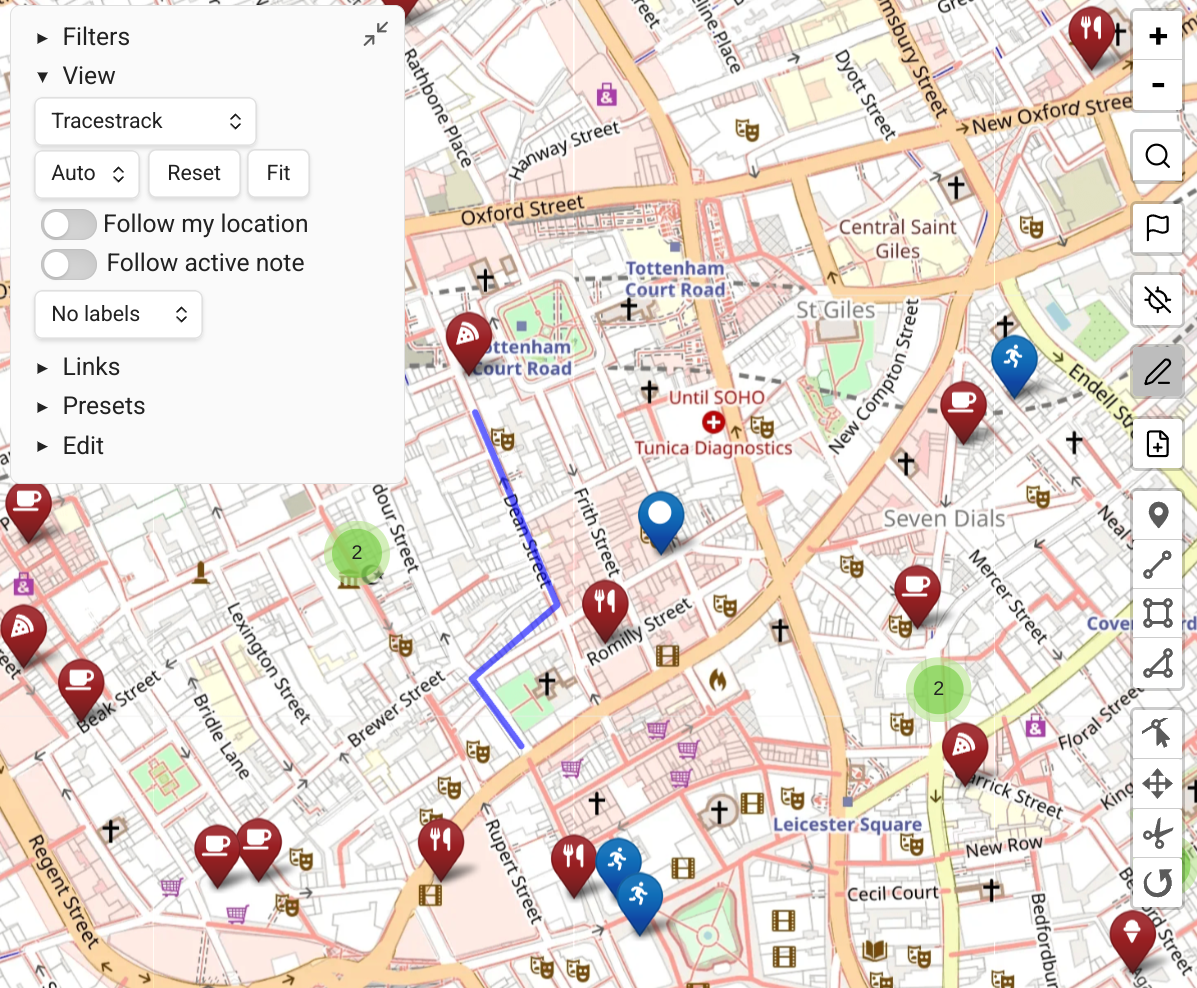
Embedding Maps in Notes
Map View supports embedding interactive maps in notes using Obsidian's code block format. Embedded maps are live views that update as your notes change.
How to Embed a Map
Method 1: Copy from an Existing Map View
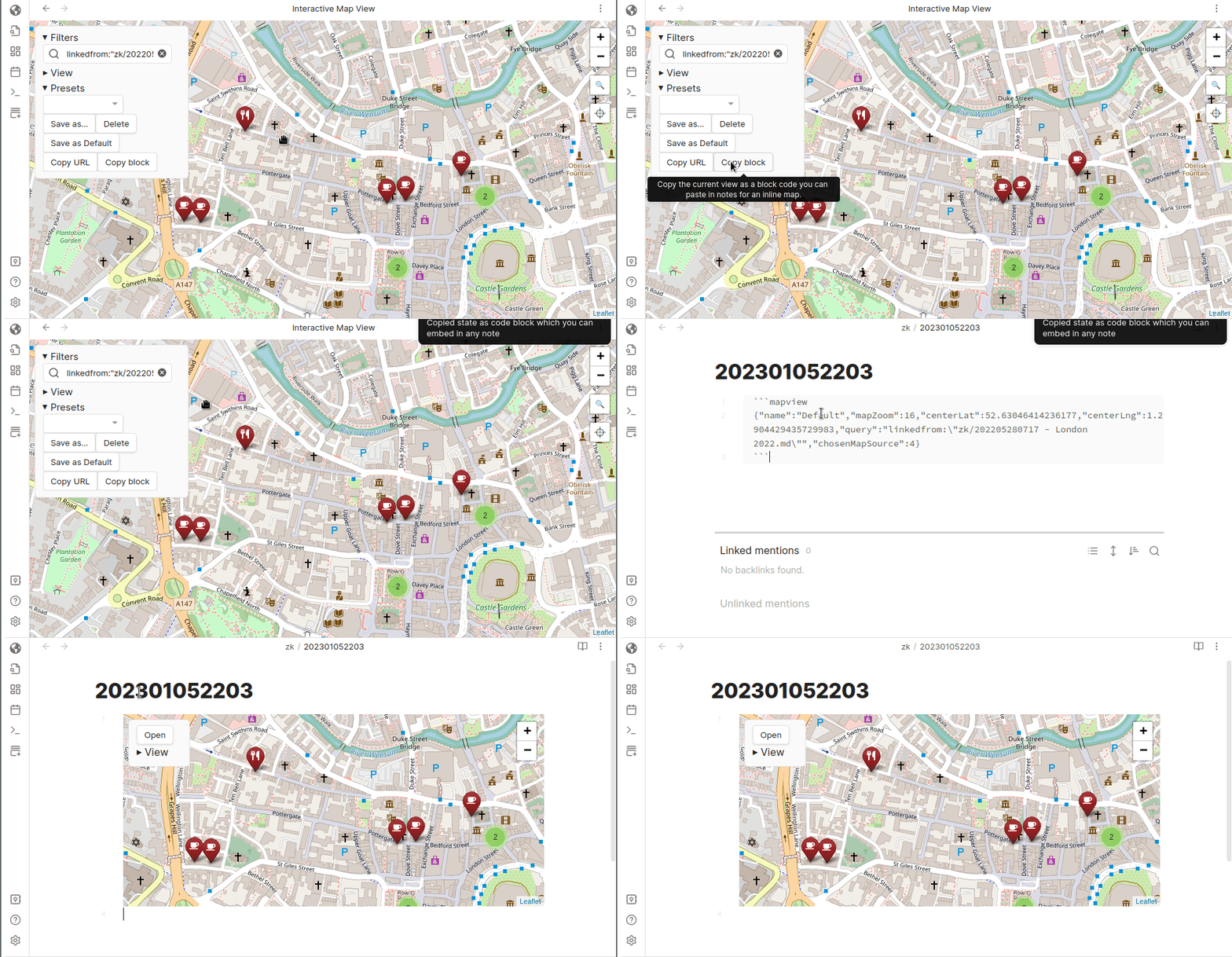
- Open Map View and configure it to your liking (query, zoom, pan, etc.).
- Open the Presets pane and click 'Copy Block'.
- Paste the resulting code block into any note.
Method 2: Embed from a Note
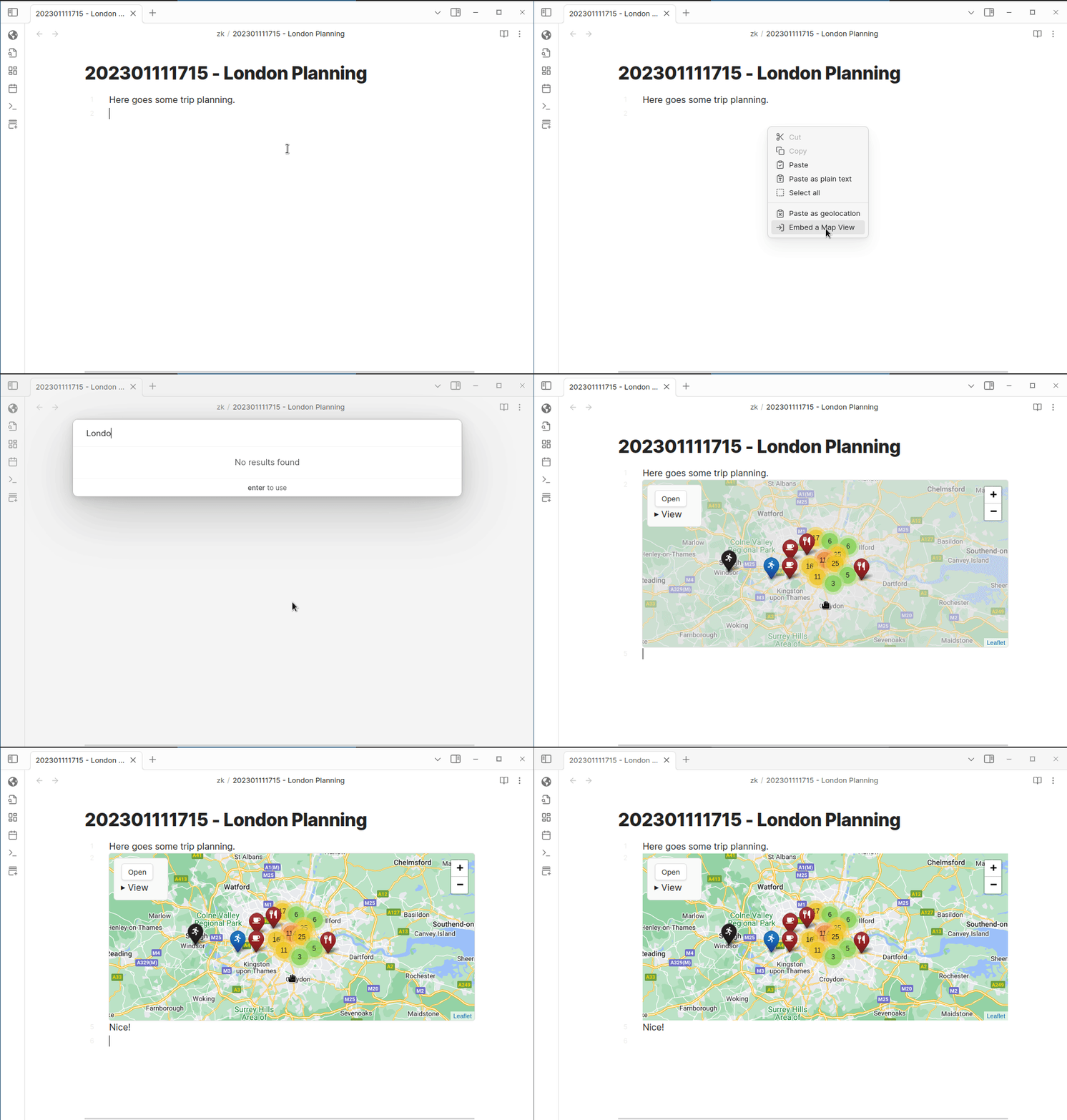
Right-click in a note editor and choose "embed a Map View" from the context menu, then enter a search term for the map center.
Alternatively, use the Obsidian command "Map View: add an embedded map" (assignable to a keyboard shortcut).
Updating an Embedded Map
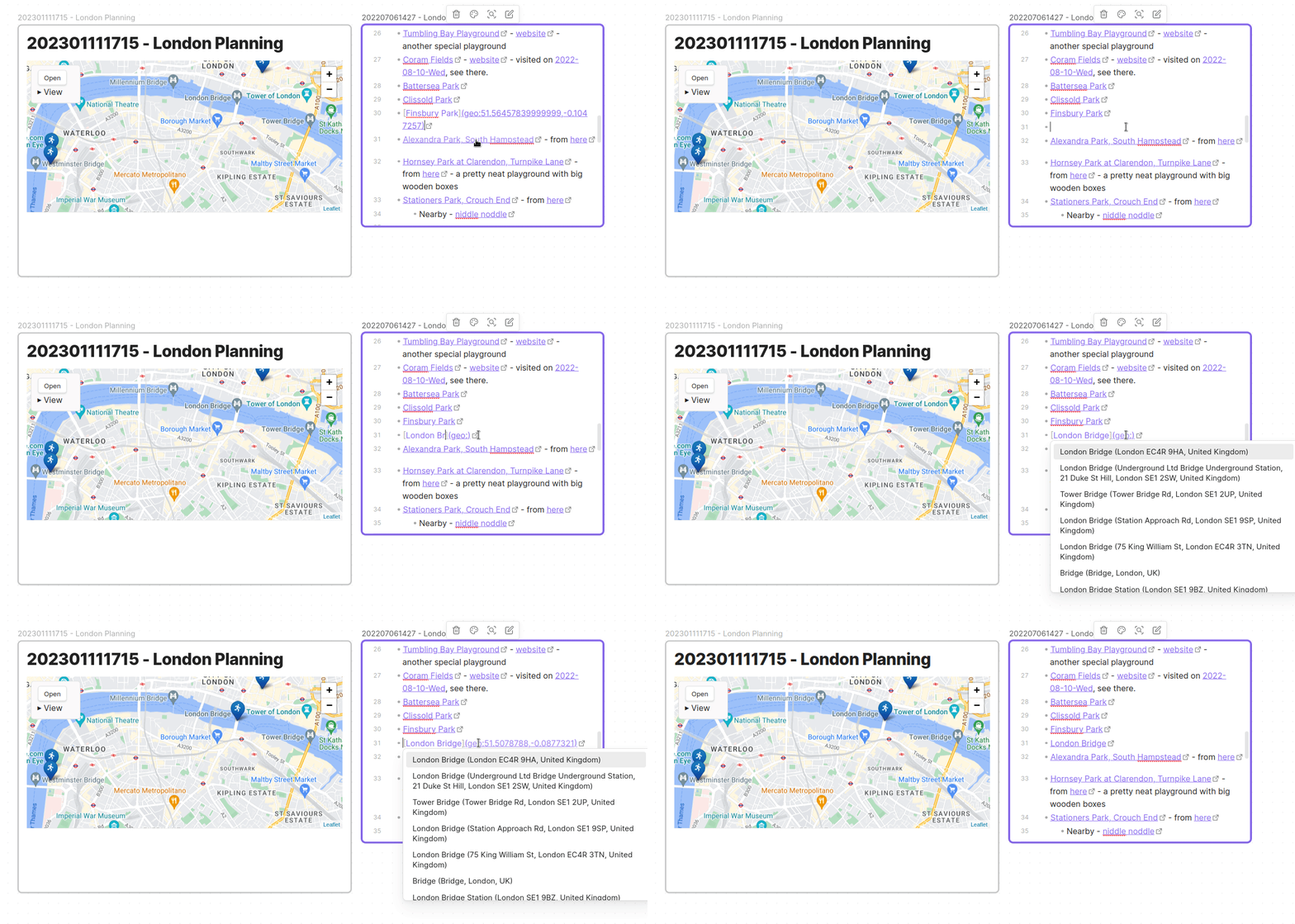
Embedded maps support light adjustments directly (zoom, pan, height). Click the 'Save' button that appears to persist those changes.
For bigger adjustments (new query, different view):
- Click the Open button on the embedded map to open it in a full Map View.
- Make your changes.
- Click 'Update from open Map View' in the embed's View menu.
INFO
If you have multiple full Map View instances open, 'Update from open Map View' may pick the wrong one. Close unwanted instances first.
Embedded Maps in Canvas
Embedded maps work in Obsidian Canvas and update live.
Advanced Options
The $filename$ Template Parameter
The query field in an embedded map supports a $filename$ template parameter. This is useful for note templates:
"query":"linkedfrom:\"$filename$\" OR linkedto:\"$filename$\""The map will always reference the host note it's embedded in.
Known Annoyance
The $filename$ replacement happens when the code block is processed. If you edit the embed interactively (zoom, pan, Save), the query field gets overwritten with the actual file name rather than the template.
The autoFit Flag
Add "autoFit":true to the code block JSON to make the map auto-fit to its markers on load, overriding the saved zoom/pan.
{"autoFit":true, ...}This causes a visible zoom/pan animation if the saved state differs from the auto-fitted one. Click Save to freeze the new state.
Custom View Settings
The embedded map code block supports an optional customViewSettings object for UI adjustments. See the properties and defaults in embeddedMap.ts.