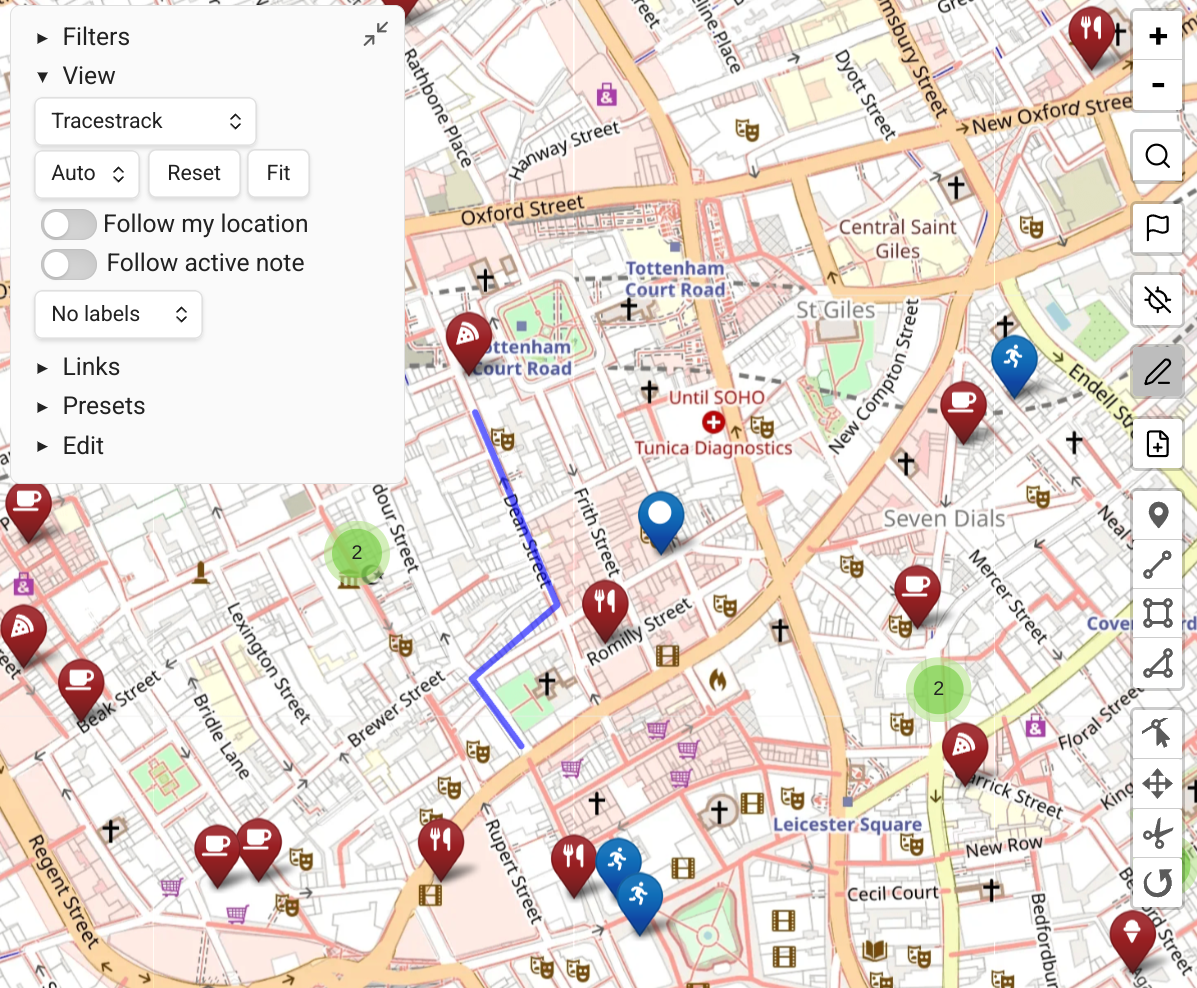
Obsidian CLI Integration
Map View registers commands with the Obsidian CLI, available since Obsidian 1.12.2. This lets you look up geolocations and add them to your notes from the command line or through Claude using the Map View skill.
It's highly recommended to use this together with obsidian-skills.
This lets agents like Claude Code be able to do things like:
- "Add to my Paris Planning note a section with top 10 Indian restaurants. For each one, note why it's good and mention opening hours."
- "Recommend me 10 places to stop in Napa Valley, add them to my daily note and show me the map. For each one, explain in one sentence why I should visit there."
- "Recommend 5 coffee shops in NYC in the Times Square area that are open on Sunday at 7:00, and add them to a dedicated note."
Commands
mv-geosearch
Search for a location by name and return up to 10 results with coordinates.
obsidian mv-geosearch name="Paris"Example output:
1. Paris, Île-de-France, France [48.8566, 2.3522]
2. Paris, Texas, United States [33.6609, -95.5555]
...
Use this to find and verify the right result before recording it.
Add extra-data to include all fields returned by the geocoding provider:
obsidian mv-geosearch name="Eiffel Tower" --extra-dataWhen using Google Places (New) API with data fields configured in Map View settings (e.g. regularOpeningHours,rating,websiteUri), the extra data is appended as JSON after each result:
1. Eiffel Tower (Champ de Mars, 5 Av. Anatole France, 75007 Paris, France) [48.8584, 2.2945]
{
  "regularOpeningHours": {
    "openNow": true,
    "weekdayDescriptions": [
      "Monday: 9:00 AM – 11:45 PM",
      ...
    ]
  },
  "rating": 4.6
}
The extra-data flag works on all three geosearch commands.
mv-geosearch-as-front-matter
Search for a location and return the top result as a front matter property.
obsidian mv-geosearch-as-front-matter name="Eiffel Tower"Example output:
location: "48.8584,2.2945"Use together with obsidian property:set to set the location of a note.
mv-geosearch-as-inline
Search for a location and return the top result as an inline geolink.
obsidian mv-geosearch-as-inline name="Eiffel Tower"Example output:
[Eiffel Tower](geo:48.8584,2.2945)Use to embed a location reference inside note content. Map View renders inline geolinks as clickable links and as pins on the map.
mv-calc-distance
Calculate the straight-line (aerial) distance between two coordinates.
obsidian mv-calc-distance from="40.7128,-74.0060" to="48.8584,2.2945"Coordinates can be given as lat,lng or [lat,lng] — the brackets are optional.
Example output:
Distance: 5837093 m (5837.09 km)
Note: this is the straight-line (aerial) distance, not a routed distance.
Useful for quickly checking whether two places are in the same area without needing a routing API key.
mv-calc-route
Calculate a routed distance and travel time between two coordinates using the configured routing engine (GraphHopper). Requires a GraphHopper API key to be set in Map View settings.
obsidian mv-calc-route from="40.7484,-73.9967" to="40.7580,-73.9855" profile="foot"Coordinates can be given as lat,lng or [lat,lng] — the brackets are optional. For available profiles, consult the Map View documentation.
Example output:
Profile: foot
Distance: 1823 m (1.82 km)
Time: 22.1 min
Ascent: 12 m
Descent: 8 m
Returns routed distance, estimated travel time, and elevation change. Does not return the path geometry.
mv-query
Return all map markers that match a Map View query expression. Supports the full Map View query language — the same syntax used in the map's filter bar.
obsidian mv-query query="tag:#hiking"The query parameter is optional. Omitting it returns every marker in the vault.
Example output:
1. Sentier des Crêtes [48.01230, 7.07845] (Hikes/Vosges.md)
2. Lac Blanc [47.99501, 7.05312] (Hikes/Vosges.md)
3. Cascade du Tennbach [48.00812, 7.06631] (Hikes/Alsace.md)
Each line contains the marker's display name, coordinates, and the path of the source note.
Query syntax examples:
| Query | Meaning |
|---|---|
tag:#hiking | Markers tagged #hiking |
path:France | Markers from notes whose path contains "France" |
tag:#cafe AND path:Paris | Cafés in Paris notes |
name:Louvre | Markers whose display name contains "Louvre" |
tag:#restaurant OR tag:#cafe | Restaurants or cafés |
distancefrom:48.85,2.35<2km | Markers within 2 km of a point (aerial distance) |
distancefrom:32.08,34.78<500m AND tag:#cafe | Cafés within 500 m of a point |
| (empty) | All markers |
mv-focus-note
Focus a note in Map View, filtering the map to show only its locations.
obsidian mv-focus-note file="Paris Trip"The file parameter is resolved like a wikilink — name only, no path or extension needed. Opens (or switches to) Map View with a query scoped to that note.
Geocoding source
The geosearch commands use whichever geocoding source is configured in Map View's settings — OpenStreetMap (Nominatim) by default, or Google Places if configured.
Using with Claude
The Map View skill teaches Claude how to use these commands for trip planning, travel recommendations, and location research. With the skill installed, you can ask Claude things like:
- "Plan a weekend in Rome and save the highlights to a note"
- "Add the coordinates for this restaurant to my daily note"
- "Create a trip note for Tokyo with the must-see sights"
Claude will use the available geosearch commands to look up each location and append the geolinks to your notes, which Map View then displays on the map.
To install the skill, copy the skills/map-view/ directory from the Map View repository into the skills directory of your agent tool:
- Claude Code: copy into the
.claude/skills/folder at your Obsidian vault root - Codex CLI: copy into
~/.codex/skills/ - OpenCode: copy into
~/.opencode/skills/